(844) 572-2230
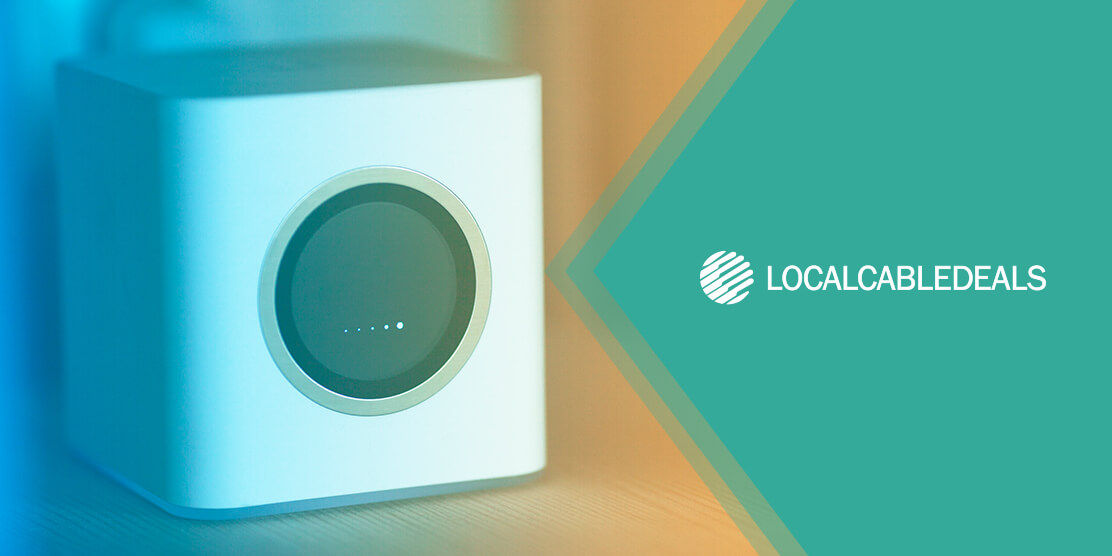
Xfinity Internet users have the option to choose between the Xfinity xFi gateway and their own equipment. The xFi gateway is a combo device, i.e., it serves as a modem and router. If you choose to use your own gear, you’ll need a compatible modem and router to replace the provider’s gateway.
There is no simple answer to which is the better choice. The right choice depends entirely on your household needs, budget, home size, and how much technical control you want over your network.
A detailed comparison of both options can help you make the right decision, but first let’s get the basics out of the way.
Understanding the Basics: Modem, Router, and Gateway
- The modem and router are two separate devices required to use internet on your devices, but a gateway is an all-in-one device.
- The modem connects your home to your internet provider’s network.
- The router distributes internet signals from the modem to your wired and wireless devices via Wi-Fi or Ethernet.
- The Gateway, also known as a modem-router combo, combines both functions into a single all-inclusive device.
The Main Differences: Xfinity Gateway vs. Your Own Router
When comparing the Xfinity xFi Gateway with an own bought router, the key differences lie in ease of setup, long-term cost, and ongoing network management.
The xFi Gateway is designed to seamlessly integrate with the Xfinity app, so you can easily monitor and manage your home network. On the other hand, a third-party router can offer you full control over your network, so there’s more room for customization.
Here’s a quick overview of what it’s like using Xfinity’s gateway vs. your own router setup:
| Factor | Xfinity xFi Gateway | Your Own Router Setup (modem + router) |
|---|---|---|
| Cost | Included in plan or $15/month rental fee applies (varies by location and standalone plan/bundle deal) | Upfront hardware cost (one-time investment); several budget-friendly options are priced under $100 |
| Ease of Setup | Simple plug-and-play setup using the Xfinity app | Requires manual configuration & connection; difficulty level varies by model. |
| Network Control & Flexibility | Streamlined user-friendly settings, but limited customization options | Advanced Wi-Fi settings and plenty of customization options; you can tailor the network to your preferences |
| Top Features |
| Features vary by model, but may include advanced routing, built-in VPN support, and other personalization options. |
| Technical Support | Fully supported by Xfinity customer service; users can get a free upgrade or replacement. | Supported by the hardware manufacturer (Xfinity will not cover any repair/replacement costs) |
| Best For | Standard internet usage, small to medium households, temporary apartment living | Power users/tech enthusiasts, large or multi-story homes, long-term setups |
Many users prefer renting internet equipment because they don’t wish to bear the high purchase cost upfront, while others prefer buying their own equipment for saving money in the long run.
If you’re not sure which routes suits you, find out the cost difference between buying and renting a modem and router.
Pros & Cons of Using Your Own Router
Using your own third-party router can give you greater control over your home network, though it does not guarantee faster internet speeds. Features vary by router model, and overall network performance is influenced by your internet plan, Wi-Fi setup, home layout, and connected devices.
| Benefits | Potential Drawbacks |
|---|---|
|
|
Figuring out the right kind of router for your home network is only half the battle. When you’re entirely replacing the internet service provider (ISP) gateway, finding a capable and compatible modem is just as important.
Learn The Difference Between ISP-Rented and Third-Party Modems
Pros & Cons of Staying with the Xfinity xFi Gateway
Buying your own internet equipment can seem like an unnecessary hassle when you’re not a techie or computer geek. Sticking with the Xfinity xFi gateway is the most convenient option, and it works flawlessly unless you have extraordinary network demands.
| Benefits | Potential Drawbacks |
|---|---|
|
|
When to Choose Your Own Router vs. the xFi Gateway
The Xfinity xFi gateway is an accomplished modem and router combo device, which makes it ideal for the average household. On the other hand, an advanced third-party router can offer beyond standard features and give you absolute control over your home network.
If you still can’t decide between these two options, let’s make it even easier for you:
| When Your Own Router Makes Sense: | When the xFi Gateway Is the Better Choice: |
|---|---|
|
|
When shopping routers, you may get confused by all the different types being sold in the market.
Common Setup Problems & Considerations with a Third-Party Router
If you decide to use your own router with Xfinity Internet, here are a few things you need to consider and understand to avoid potential setup issues:
Standalone Modem or Bridge Mode
You can either configure your own standalone modem and router or use Xfinity’s gateway as a modem while overriding its router functions. The latter is called “bridge mode”, and using it only makes sense if you already have the xFi gateway and need to test whether a third-party router can improve your network’s coverage and performance.
If you connect a third-party router to the Xfinity gateway without enabling bridge mode, your network traffic will be passing through two separate routers simultaneously. This causes an issue called "Double NAT", which can disrupt port forwarding, VPN connections, and online gaming.
The bridge mode setup does not offer any economic benefits, as you’ll be paying for the Xfinity gateway anyway. Buying your own modem and router separately is highly recommended to maximize performance metrics whilst saving money.
Compatibility Requirements and Limitations
When buying your own modem and router, you need to ensure that both devices are compatible with Xfinity Internet. Purchasing unsupported equipment can lead to technical errors and other connectivity issues; hence, always check Xfinity's approved equipment info on their official page beforehand.
Once you bypass Xfinity’s gateway to use your own equipment, you can’t control your network settings through the Xfinity mobile app. This also implies that all Wi-Fi and security features built into the xFi gateway will no longer apply to your connection.
You’ll have to log in to your router’s admin panel to manage or change your home network settings. You can avail features provided by the manufacturer of the third-party router and even use commercial tools to upgrade your network’s security.
If you want to improve your connection’s speed and device capacity, consider upgrading your internet plan before you upgrade your router.
Discover the Best Standalone Plans and Bundle Deals from Xfinity
Final Recommendation
Choosing between the Xfinity gateway and your own router ultimately depends on your day-to-day internet needs and personal priorities.
If you value convenience, effortless setup + management, and unceasing ISP support, sticking with the xFi gateway is your ideal solution.
On the contrary, if you yearn for absolute control, a high level of personalization, and advanced networking features, investing in a superior third-party router is worth it.
FAQs
Is it better to buy your own modem and router for Xfinity Internet?
Buying your own modem and router can be beneficial if you want to save money by avoiding monthly rental fees. A high-quality router and modem can also help improve your home network coverage and capacity.
Does using a third-party router make my internet faster?
No, a third-party router cannot enable speeds beyond what is offered by your chosen internet plan. However, it can provide broader customization options, Wi-Fi coverage, and device-handling capabilities.
Is the Xfinity xFi gateway worth it?
The Xfinity xFi gateway is a powerful modem-router device packed with advanced network management and security features. It is definitely worthwhile for internet users who prioritize convenience.