(855) 771-3154

I moved into a new apartment a few months back. I unpacked my things, bought brand new furniture, and overall made the place look aesthetically pleasing. Now, after the fun bit of setting up my apartment was over, I started dreading the next step, which was: looking for the perfect internet service provider (ISP).
I mean, there were so many ISPs available in my town, it was like finding a needle in a haystack. So, I took the smart way out, I shortlisted my requirements (super-fast speeds, security, reliability) and emailed them to my internet expert friend.
Based on my preferences, he suggested I sign up for Spectrum Internet. He had been a loyal customer for quite some time. I trusted his recommendation and started my research on the provider.
Luckily, it checked off all the boxes, and I instantly signed up for one of its high-speed plans.
What Went Wrong?
The first few months were great; I faced no connectivity issues at all.
However, by the fifth month, this provider started giving me a hard time. But, since I’m a calm person, I handled this situation very wisely.
I reached out to Spectrum’s customer support team and informed them that my connection was dropping, and I was experiencing slow connectivity. The representatives were super cooperative, they told me not to worry, and introduced me to a set of troubleshooting tips. And I kid you not, those hacks were amazing, and my connection got better in no time.
If you’re a Spectrum Internet customer facing similar problems, then let me pass on the wisdom through this blog. Let’s fix your internet connection together!
Signs of a Poor Internet Connection
I’ll begin by pointing out the signs that you need to look out for to timely diagnose your internet connection problem.
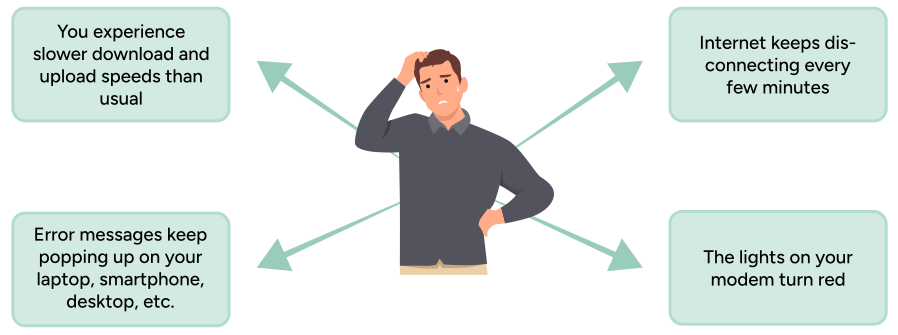
If your connection is showing one or more of the symptoms given above, then that means it’s in trouble and needs instant treatment.
Why does your Connection Drop Frequently?
Now that you’re aware of the symptoms, you must also know the causes behind a poor internet connection.
By learning about the causes, you can prevent it from happening in the first place.
You know what they say, ‘Prevention is better than the cure.’
Faulty Network Cables
Let’s grasp this point with the help of an example.
Did you ever have a toy car as a kid? If yes, then you might remember that when one of its tires broke, the car didn’t move as smoothly as it did when it was brand new.
Anything that is damaged, be it a toy car or a network cable, fails to function properly.
Therefore, if your cables are damaged or faulty, get them replaced immediately. I’m saying this because damaged cables can hinder data transmission, leading to low bandwidth and poor network performance.
Outdated Internet Equipment
We’re all aware that obsolete things lose their charm and don’t work effectively.
Similarly, if you own an old, outdated router and modem, you will experience slower download and upload speeds. This would eventually cause frequent connection drops and poor connectivity.
How to Prevent Your Spectrum Internet from Disconnecting?
At this point, you’re aware of the general symptoms and causes of a poor internet connection. Let’s now link it to Spectrum Internet and highlight the four main points that will help you treat this problem.
Look for an Outage
Internet outages occur frequently due to harsh weather conditions, network congestion, equipment failure, etc.
A wise approach, therefore, is to always keep an eye out for a Spectrum Internet outage in your area. You can do so by simply logging into the Spectrum App and clicking on the ‘Support’ option in the settings. From there, you will be taken to the ‘Outage Information’ page. Explore the page to learn about the causes of the outage in your area and the estimated time for service restoration.
Restart your Modem and Router
Restarting your internet equipment when you feel like it isn’t functioning properly is perhaps the easiest step. Doing so clears the modem and router’s memory and instantly solves any minor connectivity issues.
You can reboot your devices by:
- Unplugging the power cable from both devices
- Waiting for at least 30-40 seconds
- Plugging the cable back in
Reposition your Router
Another major reason for slower internet speeds is weak signal strength.
You must’ve noticed that some parts of your house have faster internet, while others have slow or no internet at all. Such areas are called WiFi dead zones.
So, for example, if you live in a mansion with your family and friends, and feel like your connection keeps dropping, then start experimenting with the placement of your router.
Try placing it on the center point in the living room, away from all the large wooden/metal tables, thick walls, electrical appliances, etc.
Secure your WiFi Network
By setting a unique username and password, you can protect your WiFi network from hackers and other cybercriminals who might otherwise easily access your network.
With intruders connecting to your network, your connection’s signal quality will drop, and it will start acting up. It is therefore always recommended to change your WiFi password every 3 months.
Contact Spectrum Customer Service
If you’ve tried everything and still can’t solve your internet issues, then pick up your phone and connect with Spectrum’s support representatives, who are available 24/7 to serve their valued customers. These experts are knowledgeable, cooperative, and friendly.
Simply tell them about your connectivity issues, and they will walk you through the required steps. They might also send a technician to your place to inspect your internet connection in person.
The hacks mentioned in this blog helped me, and I’m sure they’ll do the job for you as well. Follow these tips and tricks and see how your Spectrum Internet connectivity issues disappear.
Have fun exploring the internet without any unwanted hiccups!
Frequently Asked Questions
How can I get in touch with Spectrum service representatives?
You can connect with Spectrum support agents by:
- Dialing the Spectrum customer service number: (888) 369-2408
- Messaging via live chat
- Visiting the nearest Spectrum store
- Sending your queries to support@spectrum.com
Why is a stable internet connection important?
With a steady internet connection, you can easily:
- Upload all your important files
- Watch all your favorite movies and shows in HD
- Play games online with your best friends
- Work remotely without any interruptions