(844) 481-5993

Spectrum generously includes top of the line internet modem free when you sign up for its internet plans. But if you prefer more control over your network, deeper performance insights, or simply want to use your own equipment, buying your own modem might be a smarter choice. In this guide, we’ll break down what kind of internet modems Spectrum supports and share some of the best options to consider:
How to Choose Your Own Modem for Spectrum Internet?
Before we dive into the list, you should know what features to look for when choosing a modem for your Spectrum Internet connection:
- DOCSIS 3.1 Standard: The DOCSIS 3.0 standard modems are now outdated; Spectrum currently provides devices that support the DOCSIS 3.1 standard. This ensures minimum latency, better channel bonding, and better overall performance. Moreover, with DOCSIS 4.0 surfacing, having at least a DOCSIS 3.1compatible modem is essential to ensure forward compatibility and future-proof connectivity.
- Matching the Ethernet Speed: The standard port of 1 GbE (Gigabit Ethernet) isn’t a strong choice for gigabit plans and will reduce the throughput. If you have subscribed to Spectrum’s gig speeds, then a 2.5 GbE port modem will be an optimal choice as it maximizes the overall performance.
- Avoid Puma Chipset: Older modems carry Intel Puma chipsets, which are known for latency spikes, especially during high traffic periods. You can check out Spectrum’s modem list or find one on your own that doesn’t have a Puma Chipset.
- Standalone or Combo: Spectrum offers WiFi 7 routers apart from their internet modem. Based on your network’s performance, you can decide if you want a standalone modem and router or a combo modem-router.
Check Available Spectrum Internet Plans in Your Area
Best Spectrum Internet Modem for Home
Let’s take a look at the most optimal Spectrum Internet modems to buy for your home network:
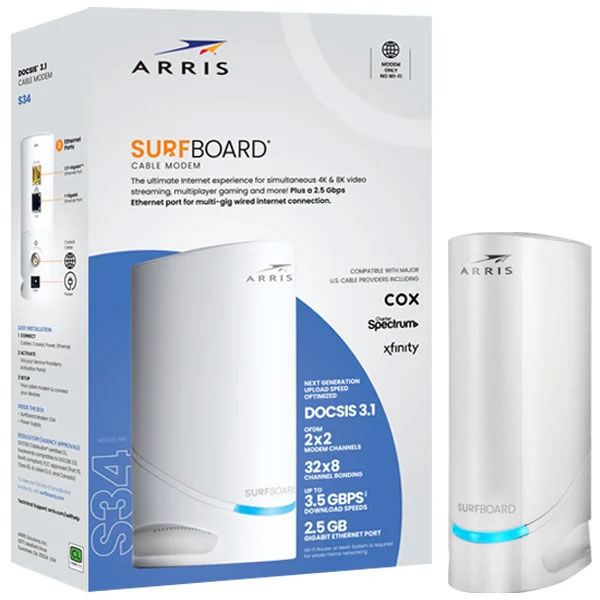
ARRIS SURFboard S34
The S34 is an excellent internet modem for running Spectrum Internet smoothly. With its curvy and compact design, it complements the overall network setup for every home. For household users with high uploading requirements, the S34 proves worthy with its maximum upstream capacity of up to 200 Mbps. Apart from this, it comes with the following features:
- 5 GbE + 1.0 GbE ports.
- Broadcom chipset
- Best for multi-gig internet plans for households
- Great for pairing with WiFi 6 and WiFi 7 routers
The S34 has a rock-solid performance among DOCSIS 3.1 tier modems and is a dependable device for running the Spectrum Internet gigabit plans.
Motorola MB8611
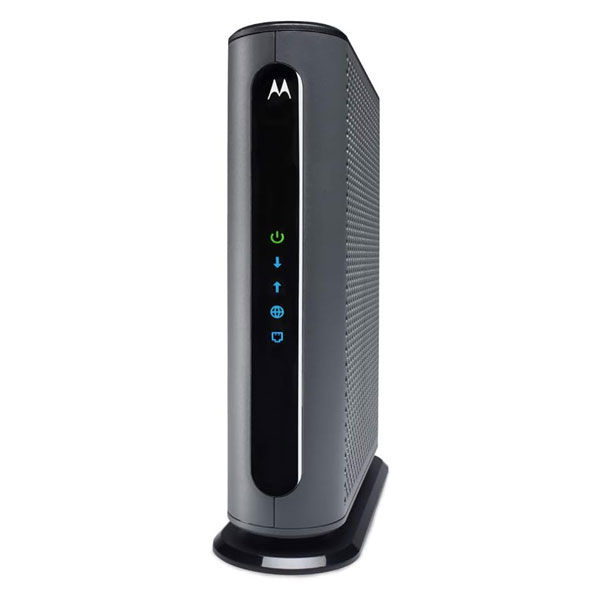
The MB8611 packs power with efficiency that makes it quite an option. It comes with Active Queue Management (AQM), which reduces network congestion by automatically managing data buffers. The MB8611 also has a 2-year warranty with tech support, so you don’t have to worry about any technical issues since the company’s got you covered. Next, it has:
- DOCSIS 3.1
- 1 x 2.5 GbE port.
- 5 Gbps max downstream.
- Optimal coverage for households
Although users reported issues in terms of network stability with congestion, the MB8611 proves to be a great choice for households looking to buy an internet modem of their own.
NETGEAR Nighthawk CM3000
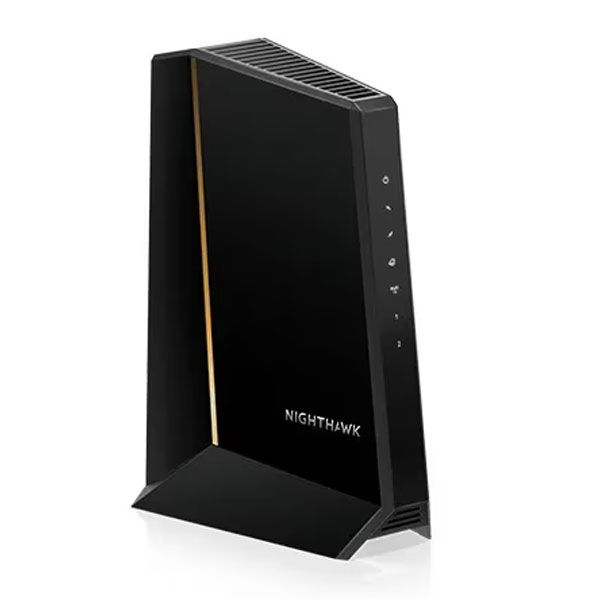
NETGEAR has produced some amazing options within this tier, and the CM3000 is another exception. Optimized for gaming performance, it comes with mid and high split upstream options, which ensure maximum uploading throughput. One of the reasons for its popularity is that it works best with Spectrum Internet, supporting the high-split upstream technology offered by the provider. Apart from that, it comes with the following features:
- 3 x Ethernet ports
- 1 x 2.5 Gbe + 2 x 1 GbE ports
- Max downstream: 2.5 Gbps
It’s one of the ideal internet modems in the market that offers a multi-split upstream option, which makes it a dependable choice for many households with a Spectrum Internet connection.
Other Notable Mentions
Apart from the ones mentioned above, here are some notable options that can be chosen:
ARRIS SURFboard SB8200
The SB8200 is one of the widely used internet modems by Spectrum and several providers due to its affordability and added features. Although it lacks a 2.5 GbE port, which may result in a bottleneck for gigabit plans, its performance is unprecedented for lower-tiered plans.
Hitron CODA56
For budget-conscious users, the CODA56 is a reliable choice that comes with network performance that competes with ARRIS and NETGEAR. It even has a 2.5 GbE port and a 2.5 Gbps max downstream capacity, making it an underdog in the category.
ARRIS SURFboard G34
The G34 lacks a 2.5 GbE port; however, it’s one of the most commonly used internet modems in many households. It works ideally with a WiFi 6 router, and the pair can easily handle network capacity up to 1 Gbps (may bottleneck due to congestion).
Spectrum Provided Modems
You can look for Spectrum-provided internet modems from the market if you don’t want to rent them from them.
- Spectrum D3.1 MDU Modem
- Spectrum ONU (SONU) Modem
- Technicolor TC4400
- Ubee U10C035
- Ubee DDW36C
- Technicolor / Thompson / RCA TC8717T (modem-voice combo)
- Ubee DVW32CB (modem-voice combo)
Why You Should Get Your Own Internet Modem?
While it's suggested to rent the internet modem from the provider itself, there are some perks of buying your own internet modem to consider:
- Eliminate additional rental charges.
- Upgrade the modem to access hardware and software upgrades.
- Update modem firmware as required without having to wait for provider access.
Wrapping Up
While Spectrum offers an internet modem free with its internet plans, you can still choose to buy your own modem for better access and control of your network. The upfront cost will pay off after a year, and you can easily upgrade any time you want. Just ensure that the one you’re considering is compatible with Spectrum Internet to avoid any compatibility issues later.
FAQs
Should I use my own modem with Spectrum Internet?
It’s recommended to go with the Spectrum’s internet modem since it’s free and compatible with all plans. However, you can still choose use your own modem for setting up your network differently.
How much does Spectrum charge for modem rental?
Spectrum doesn’t charge for an internet modem; however, you’d have to pay a rental fee of $10/mo. for a WiFi router, which is also free for high-tier plans.
Can I use any modem with Spectrum?
No, you’d have to check for the modem compatibility with Spectrum Internet before using it to ensure the connection is set up properly for maximum performance output.